


 Catalog
 Exploded views

















 Honda Marine



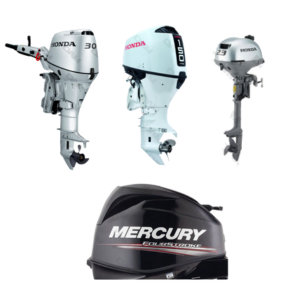


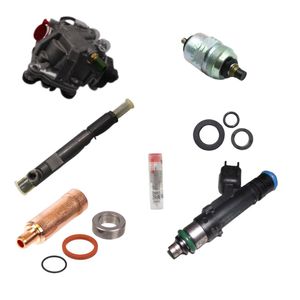
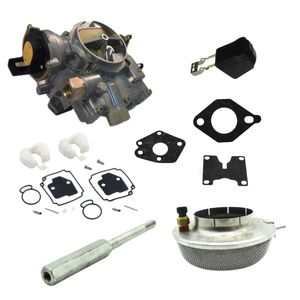
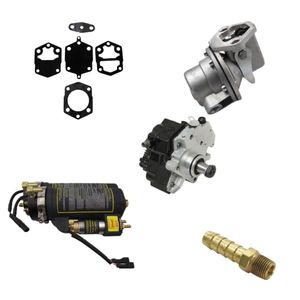




























 Parts views
 Technical documents
 Ask for a quote
 Return request
How to connect to the Internet on a boat: the simple guide
Find the electronics, instruments and useful accessories that improve comfort on board.
Internet on a boat is possible with three main solutions: marina Wi-Fi, coastal 4G/5G and satellite offshore. The best choice depends on your sailing area, the number of connected devices and your real bandwidth needs. A reliable installation also depends on power supply, antenna placement and proper data-plan management. Internet remains a comfort feature on board, to be considered within how a boat works: communication and safety equipment must remain independent.
Which boat Internet solution should you choose first?
To connect to the Internet on a boat, you first need to choose between three families: Wi-Fi available at the dock, the 4G/5G mobile network near the coast and satellite connection for more distant passages. The right solution is not necessarily the most expensive one: it is the one that matches your real sailing programme.
A boater going out for the day does not have the same needs as a crew working remotely at anchor or a boat crossing far from the coast. Before buying equipment, start with one simple question: where do you sail most often?
Is marina Wi-Fi enough?
Yes, if you mainly stay at the dock or in a well-equipped marina. It lets you check emails, prepare weather forecasts, update apps and handle everyday uses without consuming mobile data.
Is 4G/5G the best compromise?
Often, yes. For coastal cruising, a smartphone hotspot or a 4G/5G router with an external antenna offers a good balance between cost, simplicity and comfort of use.
Is satellite essential?
It becomes relevant when you sail outside mobile coverage, on long cruises or offshore. It provides real connection independence, but requires a higher budget and a careful installation.
Also keep in mind that Internet does not replace essential navigation and communication equipment. To understand complementary uses, you can read the DAM Marine guide on how a marine VHF radio works and the one dedicated to AIS technology.
Which boat Internet connection should you choose in port, near the coast or offshore?
In port, choose local Wi-Fi. When sailing near the coast, 4G/5G is usually the most practical solution. Offshore, satellite becomes the most coherent answer because terrestrial mobile networks are no longer available.
This approach avoids over-equipping the boat. A high-end router will not compensate for an area with no coverage, and a satellite antenna is not always justified for short outings close to shore. Your choice should therefore start from your use, not only from the promised speed.
What is your sailing programme?
Port stays, coastal anchorages, coastal hopping, crossings or long-distance cruising: each programme requires a different range. The farther you move away from terrestrial antennas, the less reliable mobile solutions become.
How many devices will be connected?
A phone and a tablet do not have the same impact as a full crew with computers, streaming, weather apps, navigation apps and connected objects. The more devices there are, the more useful a dedicated router becomes.
What speed is really necessary?
Checking the weather, sending a message and opening a chart do not require the same speed as a video call. On a boat, stability often matters more than the maximum advertised speed.
How can you use marina Wi-Fi without dropouts?
To use marina Wi-Fi without dropouts, place your device or antenna in a clear area, limit metal obstacles and avoid multiplying bandwidth-heavy uses. A marina Wi-Fi signal can be practical, but it depends heavily on distance, the number of users and the quality of the port installation.
On a boat, the hull, mast, treated windows, electronics and bulkheads can weaken the signal. A cockpit sometimes receives better than an enclosed saloon. If you often use Wi-Fi at the dock, a repeater or an external Wi-Fi antenna can improve reception and redistribute the connection throughout the boat.
Which good practices really help?
Test several locations, avoid placing the router near metal parts, turn off automatic updates and reserve Wi-Fi for useful tasks when the network is shared by many boats.
Is a Wi-Fi booster useful at the dock?
Yes, especially if the boat is often far from the marina access point. It does not create Internet, but it can better capture the existing signal and redistribute it more cleanly on board.
Marina Wi-Fi is therefore economical, but rarely perfect. It is very suitable for preparing a passage, downloading documents or updating apps before departure.
How can you get Internet near the coast with 4G or 5G?
When sailing near the coast, 4G/5G works with a SIM card, a smartphone or a mobile router, provided you stay in an area covered by terrestrial antennas. It is often the simplest way to get a boat Internet connection without a heavy installation.
A smartphone hotspot may be enough for occasional use. For regular use, a dedicated 4G/5G router is more stable, especially when paired with a properly installed external antenna.
Smartphone or 4G/5G router: which should you choose?
The smartphone is practical and economical for light use. A router is preferable if several people connect, if the boat stays at anchor for long periods or if you want an on-board network that is always available.
What does the real range at sea depend on?
It depends on distance from shore, terrain, antenna height, weather, the operator and network load. Two nearby anchorages can therefore give very different results.
Does an external antenna really make a difference?
Yes, when it is well chosen and properly positioned. An external antenna can improve reception, especially if the router is installed inside or if the hull limits the signal.
Important point: a router, an antenna and connected devices draw on the boat’s power supply. Before adding equipment, check your electrical installation and autonomy. The DAM Marine guides on how electricity works on a boat, energy management on board and boat battery maintenance and choosing a boat battery are useful additions to the topic.
How can you access Internet offshore with satellite?
Offshore, Internet generally relies on a satellite solution because terrestrial 4G/5G no longer covers the area. Satellite lets you stay connected far from the coast, but it requires suitable equipment, a stable power supply and a clear antenna position.
This solution is particularly useful for long crossings, remote work on board, detailed weather forecasts, regular communications, boating in winter or crews who want to maintain a higher level of comfort. In return, the budget is higher than a simple coastal mobile connection.
Why is satellite more expensive?
The cost comes from the terminal, subscription, installation and sometimes data options. Prices change according to offers and countries, so it is best to check the conditions when buying.
What level of comfort can you expect offshore?
Satellite can provide real comfort for weather, messaging, web browsing or some professional uses. Performance still depends on the equipment, plan, environment and antenna exposure.
Where should the satellite antenna be installed?
It should have the clearest possible view of the sky. Masts, gantries, sails, superstructures and boat movement can disrupt reception if the location is poorly chosen.
For demanding passages, satellite connection should remain a complement, not a single guarantee. Charts, documents, safety instructions and communication means must remain available offline.
DAM Marine helps you choose a solution consistent with your sailing area, electrical installation and on-board uses.
How can you create a stable on-board Wi-Fi network?
A stable on-board Wi-Fi network centralises the connection in a router, then redistributes the network to the boat’s devices. Depending on the equipment, the router can receive Internet via marina Wi-Fi, a 4G/5G SIM card or satellite.
The goal is simple: avoid leaving each phone to manage on its own, limit signal loss and allow several devices to connect cleanly. This is particularly useful for families, crews and boats that carry several connected devices.
What does a clean installation look like?
It includes an Internet source, a router placed in a suitable area, a secure power supply, possibly an external antenna, then a strong Wi-Fi password for on-board devices.
Which mistakes ruin the signal?
A router locked in a locker, an antenna that is too low, a poor-quality cable, unstable power supply or too many connected devices can severely degrade the connection.
Should navigation instruments be connected?
Some equipment can exchange data with a tablet or multifunction display. To better understand the overall system, read the DAM Marine guide on boat navigation instruments.
How can you avoid roaming charges with Internet on a boat?
To avoid roaming charges, disable roaming when you do not need it, monitor your data usage, download large files in port and check your operator’s conditions before sailing near borders or offshore.
The main risk comes from border areas, maritime networks, ferries, cruise ships and automatic network switching. A phone can connect without you noticing, and the bill can quickly become unpleasant.
Can I use my mobile data at sea?
Yes, as long as the phone receives a terrestrial network included in your plan. As soon as the network changes or you leave the planned coverage area, costs can vary significantly.
Which settings should you check before departure?
Turn off automatic updates, limit cloud synchronisation, download offline charts, monitor roaming and set a data-consumption alert.
What should you do on a ferry or cruise ship?
Use the ship’s Wi-Fi if you buy a package, then turn off mobile data. On-board networks and maritime roaming can cost much more than a standard connection.
How can you secure your Internet connection on board?
To secure your Internet connection on board, use a strong Wi-Fi password, avoid unprotected public networks for sensitive operations and keep your router’s admin access out of reach.
Security also concerns navigation as a whole. Internet can help you check weather, charts or port information, but it should never be your only resource. To prepare a coherent boat, the guide on safety equipment to carry on your boat, the guide on navigation lights and the guide on navigation rules at sea are good complements.
Which simple reflexes should you adopt?
Change the default password, update the router, separate guest devices if possible, turn off the network when it is not needed and avoid passwords that are too simple.
Should you use a VPN?
A VPN can be useful on public or shared networks, especially in port. It does not solve signal problems, but it adds a layer of protection for your exchanges.
What should you do if Internet does not work on board?
If Internet does not work on board, start by identifying the source of the problem: no coverage, poor router location, poorly oriented antenna, blocked plan, overloaded device or unstable power supply. Troubleshooting should move step by step without dismantling everything immediately.
First test the connection with a single device, then move the router or phone to a clearer area. Next, check the SIM card, plan, roaming, cables, power supply and network settings.
Which quick checklist should you follow?
Restart the router, test outside, check the SIM card, check mobile data, change location, reduce the number of connected devices and see whether another operator has better coverage.
When should you suspect the electrical installation?
If the router restarts, overheats, cuts out or loses the network when another device is running, the power supply may be the cause. Unstable voltage can create failures that are difficult to diagnose.
When should you change solution?
If 4G/5G does not cover your usual areas, an antenna can help. If you regularly sail outside terrestrial coverage, you should consider satellite instead of forcing a non-existent mobile connection.
In all cases, remember to prepare your navigation documents offline: charts, weather, port contacts, safety instructions, manuals and useful information. The DAM Marine guide on fish finder view technologies can also complete your understanding of electronic equipment on board.
What budget should you plan for a boat Internet connection?
The budget mainly depends on the sailing area and the level of comfort expected. Marina Wi-Fi is the most economical solution, 4G/5G requires a plan and sometimes a router, while satellite generally involves a higher equipment investment and subscription.
It is better to think in terms of total cost: equipment, subscription, cables, antenna, mount, installation, boat winterization, electrical consumption and possible data overruns. A solution that is cheap to buy can become frustrating if it receives poorly in your usual areas.
Simple budget: for whom?
For light use at the dock or close to the coast: marina Wi-Fi, hotspot sharing and anticipated downloads. This is enough for many leisure outings.
Comfort budget: for which uses?
For several devices, a 4G/5G router, an external antenna and a clean installation provide more stability at anchor or during coastal navigation.
Offshore budget: when is it justified?
For long passages outside mobile coverage, satellite becomes coherent. The price is mainly justified if the connection is needed for safety, weather, work or life on board.
What summary should you keep in mind before choosing your boat Internet solution?
The right choice comes down to your distance from the coast, your need for stability and your budget. For a leisure boat, it is often sensible to start simple, then upgrade only if your use justifies it.
| Situation | Recommended solution | Advantages | Limits |
|---|---|---|---|
| At the dock | Marina Wi-Fi | Economical, simple, practical for preparing navigation | Depends on network quality and the number of users |
| Coastal outings | 4G/5G via smartphone or router | Good cost/comfort balance, simple installation | Coverage varies by area, operator and distance |
| Frequent anchoring | 4G/5G router with external antenna | Better stability, shared network on board | Requires proper power supply and a clean installation |
| Offshore | Satellite connection | Connection possible outside terrestrial coverage | Higher budget, installation and subscription to plan ahead |
| Cruise ship or ferry | Ship Wi-Fi | Solution provided by the vessel, avoids mobile roaming | Prices and performance vary depending on the company |
What additional questions should you ask about Internet on a boat?
These answers complete the equipment choice and help avoid common mistakes before sailing connected.
What is the cheapest way to get Internet at sea?
The cheapest option remains Wi-Fi at the dock, complemented by mobile hotspot sharing when the boat stays close to the coast. To reduce costs, download charts, documents, weather and large files before departure.
Is Wi-Fi alone enough to get Internet on board?
No. Wi-Fi is only the local network that allows devices to connect. It must be connected to an Internet source: marina access point, 4G/5G router, satellite connection or network provided by a ferry or cruise ship.
Can you browse the Internet without a mobile plan?
Yes, but mainly at the dock thanks to Wi-Fi available in ports, marinas or reception areas. While sailing, having no plan greatly limits the possibilities unless the boat has another connection source.
Is 5G always better than 4G on a boat?
Not necessarily. At sea, a good stable 4G connection can be more useful than weak or intermittent 5G. Real coverage, antenna location, router and operator matter more than the name of the technology.
Should you turn off mobile data on a ferry?
Yes, it is a good precaution. On a ferry or cruise ship, the phone may switch to a maritime or foreign network. To avoid charges, turn off mobile data and use only the ship’s Wi-Fi if you have chosen that option.
Can Internet replace a VHF radio or safety equipment?
No. Internet can help with comfort, weather and information, but it does not replace communication and safety equipment designed for navigation. A network outage must never block the boat’s essential functions.
From dockside Wi-Fi to a coastal 4G/5G router, DAM Marine helps you choose equipment that is coherent for your boat.